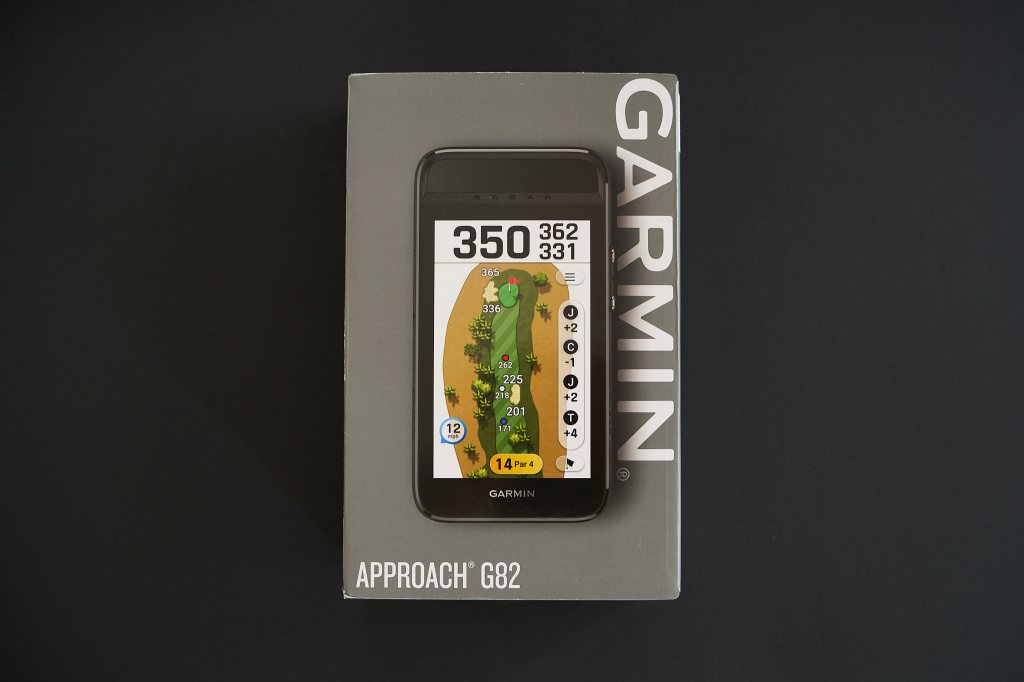
Introduction
This is an “in-progress” detailed review. I haven’t had a lot of chance to look at the launch monitor elements and putting stuff, so I’ll update the review once I do full testing in that space.
In the introduction, I’ll cover a little background on why I looked at the G82 (by comparison to The Caddie). Feel free to skip the introduction if this isn’t of interest. If you want the short version of this review, jump to the conclusion.
I am somewhat embedded in the Garmin ecosystem. It makes sense for me. It started with a Garmin watch and an R10 launch monitor, and extended to the Z30 and Garmin R50. For me personally, it’s not about brand loyalty; it’s about how the products work together. When I hit a pin on the range finder, it shows me where on the green the pin is located along with the slopes, and when you play pennant (interclub competitions), you often find yourself playing courses you’ve never played before, and the competition settings on the range keep whatever you are doing in the legal zone of what you are allowed to do.
I wanted a screen for my golf cart so I didn’t have to keep looking at my phone for specifics like bunker distances. I bought the Pinned Golf Caddie a while back. At the time, I looked at the Garmin because it would have been a better integration into the Garmin ecosystem I am using, but the Garmin hadn’t been upgraded in a long time, and lacked a magnetic mount for my ride-on cart when I use it. I also thought the lack of integration wouldn’t be a big deal because most of the time, it would be practice where my partner and I needed a rough guide for distances.
Whilst The Caddie is a nice concept, it has a few issues that caused me to look elsewhere. The first of these was the lack of a metric measurement option, a big oversight when you consider that pretty much every rangefinder has it. It’s something which is a show stopper for us golfers outside of the USA who don’t use yards (only 3 countries in the world haven’t moved to metric, the USA, Myanmar and Liberia). Pinned Golf had indicated a firmware update was coming, but I haven’t seen anything in nearly 6 months. I get the impression the product has fallen to the side in their development roadmap, and I may not see the update at all. Having a conversion chart on my golf cart is an annoyance.
Ordering
I ordered my gear directly from Garmin as I thought they might be the first to get stock. They are prompting users to order CT10s at the same time, with the indication that you can use a CT10 without the need for a Garmin watch. I think this could be a good outcome for Apple Watch users who don’t want to buy into another watch ecosystem to use the sensors. Shipping was in line with their initial indications on the website. Mine arrived at my door early on the 10th Feb. Based on today’s date, you can see it’s pretty early into the testing, although I will say I’m in Australia, so I’m almost a day ahead of the USA.
Packaging and construction
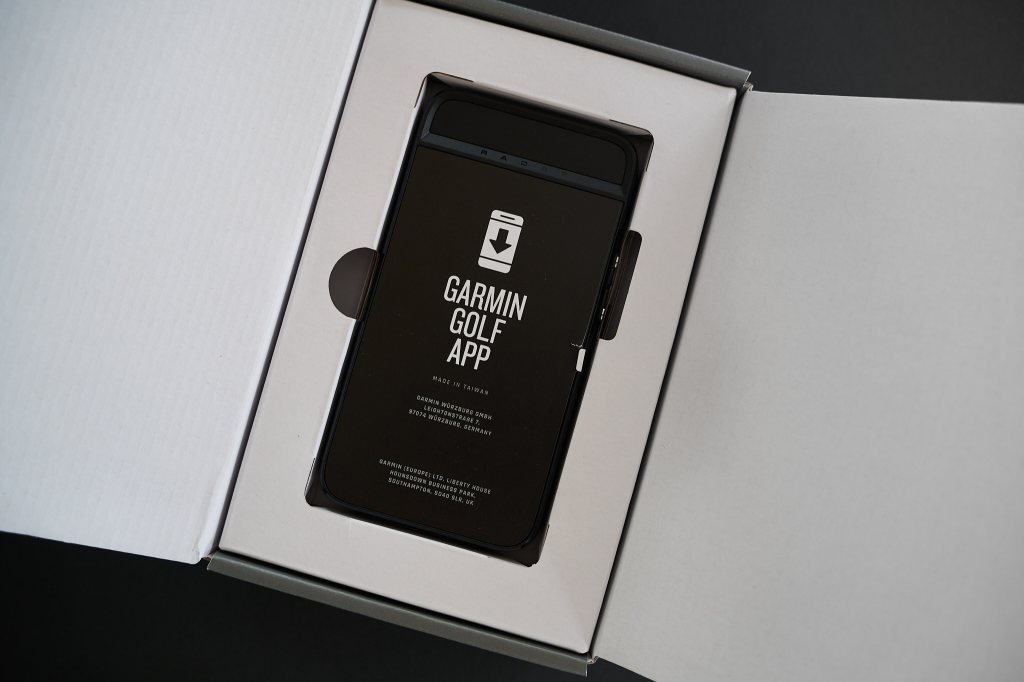
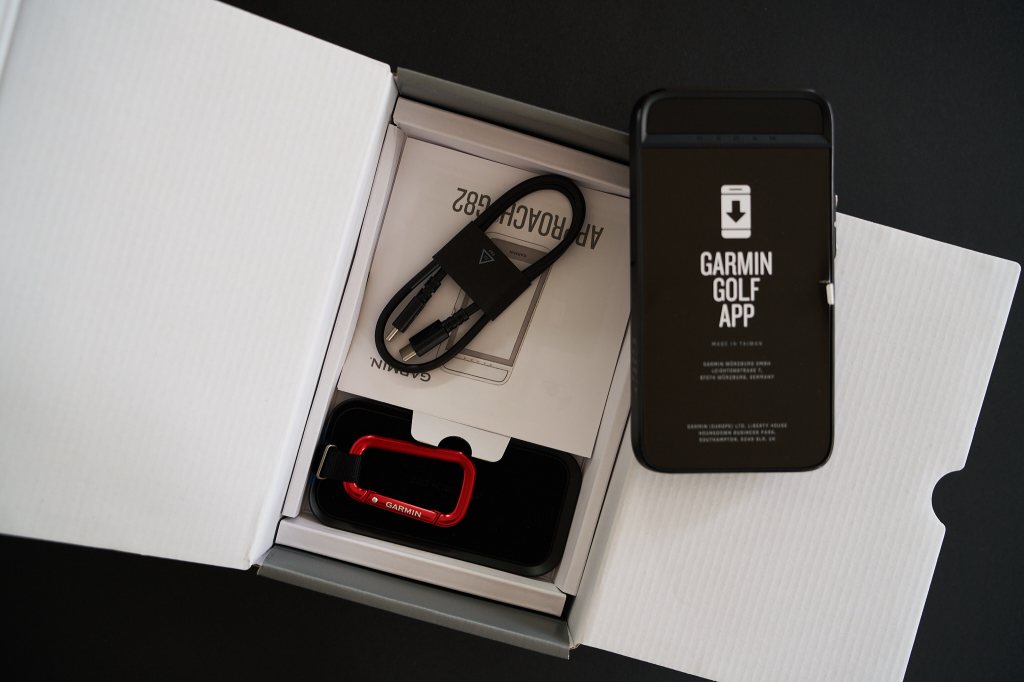
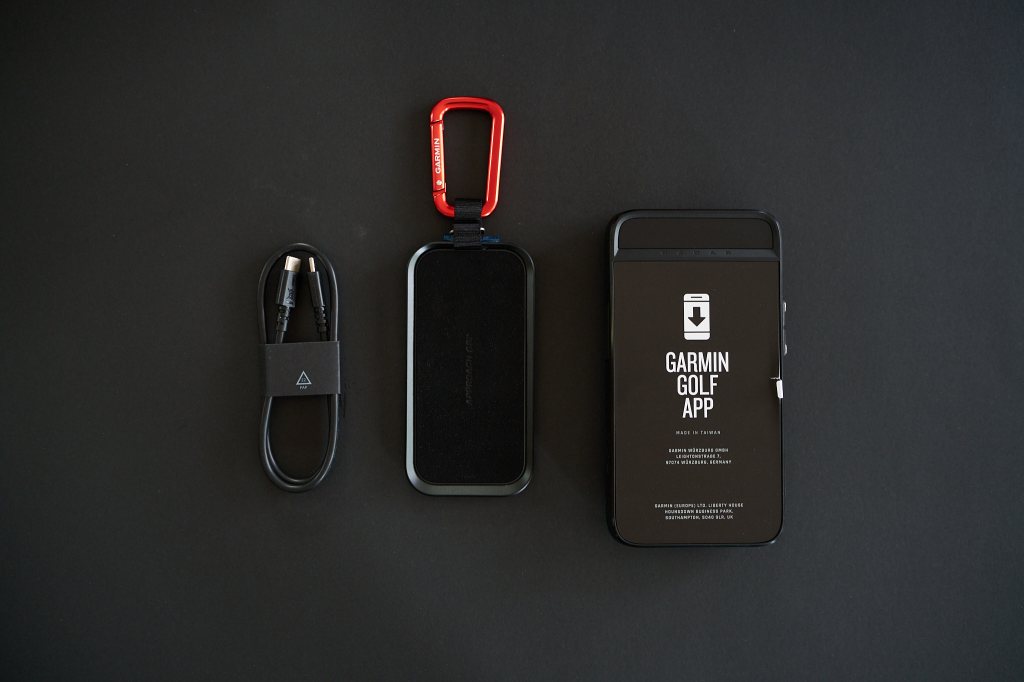
The box is the usual Garmin style of box. It’s a good quality premium box. In the box, you’ll find the G82, a USB-C cable and a magnetic bag mount. It also comes with the usual assortment of manuals that nobody reads. I tend to get rid of them and use the electronic version.
The construction of the unit is good. It feels solid and robust, like I’d expect from a unit in this price range. The magnetic add-on is also well constructed. It has a furry cover that will prevent the unit from sliding off, which is good.
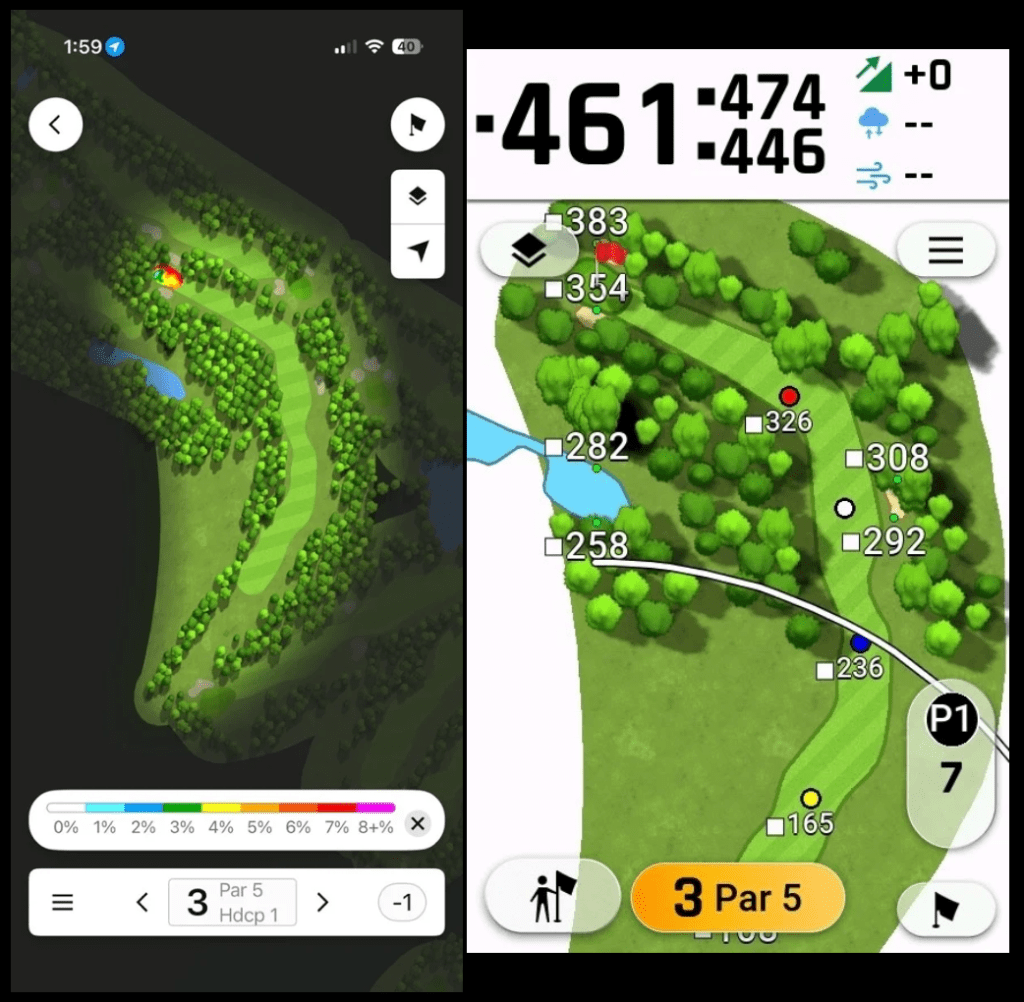
The resolution is lower than what I would have liked, particularly by comparison to modern-day smartphones, but the screen is bright, even in direct sunlight, so seeing what is happening is not an issue. This shows a downscaled iPhone screenshot compared other the native resolution and even downscaled, the difference is substantial. The phone is on the left.
I do feel like it’s missing a plastic front cover to protect the screen when it’s in the bag. It doesn’t have to be complex, something like a $2 Tupperware lid equivalent, so it doesn’t get scratched. It’s an expensive piece of hardware, and the screen is completely unprotected in the bag. The magnetic strap attachment may be good, but I don’t like leaving magnetic items hanging from my bag when I put them in the trunk, because it’s easy for them to hook on something and fall off. If I take it off, I’d like something to protect the screen. It would be possible for someone to 3D print something easily, so hopefully something will appear soon. Until then, I found a case at home that I’ll use.
Key improvements over G80
I had to use a bit of generative AI for the comparison, as I don’t have a G80, so apologies if I missed anything. I couldn’t see anything formally available on the Garmin site.
- Display – 5″ vs 3.5″ with a higher resolution screen
- Launch monitor – G82 has putting in addition to the G80 launch monitor feature set.
- Virtual caddie – G82 introduces a virtual caddie, which was only available on other Garmin devices like the S70.
- Battery life – G82 increases the battery life from 15 hours on the G80 to 25 hours on the G82.
- Mount – The G82 introduces a magnetic mount and a handy magnetic bag attachment.
Is it enough to warrant buying the G82 over the G80? I can’t say because I don’t have the G80.
Setup
The setup is simple. Start up the device, download the app and connect to your phone, use. If you don’t have a Garmin account, it will prompt you to create one. If you have one, it will connect your account. Whilst it will add your data, like what’s in your bag, it does not automatically sync any devices you have connected. I’ll cover more on that later.
You will likely need to update the device when you get it. Mine was slow and a little unreliable, not doubt because it’s a new release. Installing the club sensors crashed a few times until I did the update. Unfortunately, the update cannot be done via Wi-Fi or via the Garmin Golf app, which is what I would expect. It has to be done by plugging the device into a computer (Mac or PC), and running an app called Garmin Express. Once you have done that, it’s a multistep process of first updating the app itself, and then the maps (It calls them maps, but I assume it means courses). Once the update was installed, the device ran a lot better.
You will have to reconnect devices to your G82 (like your Z30) and some of them won’t run on both the G82 and the watch. The CT10 is one of the items that doesn’t run on both at the same time.
Features and usability
Garmin call this a launch monitor and premium GPS golf handheld. I think they really should have called it a premium GPS handheld with launch monitor capability because this device is a GPS handheld first and foremost, with launch monitor capability. The reason I say this is that the launch monitor metrics are limited, and you are not getting any metrics of horizontal dispersion or spin, meaning it won’t replace a real launch monitor. It’s really just giving you distance metrics, which is useful for bag mapping and nothing more. That aside, let’s look at the features on the device.
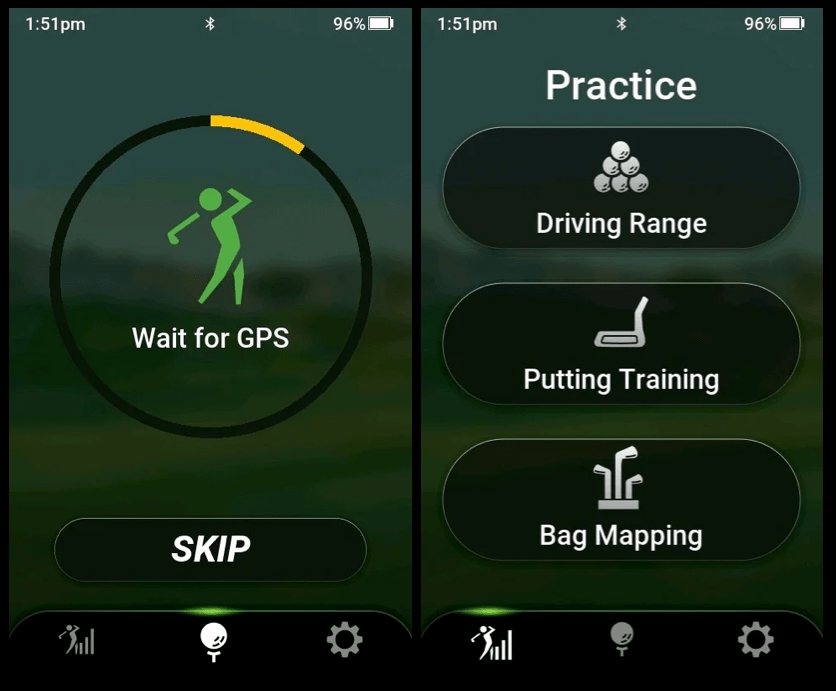
Garmin claim the device has 43,000 preloaded courses. I live in a small regional town in Australia that has a par 72 course and a separate par 3 and pitch and putt course, and both are listed on the device, which is impressive. It also includes green mapping for the course.
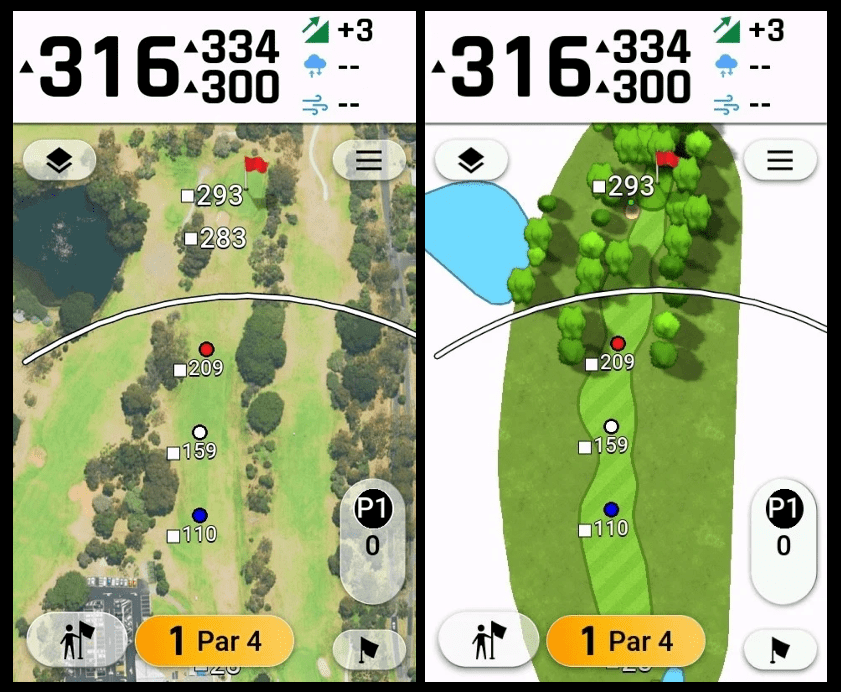
The graphics have definitely improved on the Garmin Golf courses; they used to be cartoon-like, where now they show a lot more detail. They also provide the option for a satellite photo view of the course, which can be helpful if you aren’t happy with the graphical view.
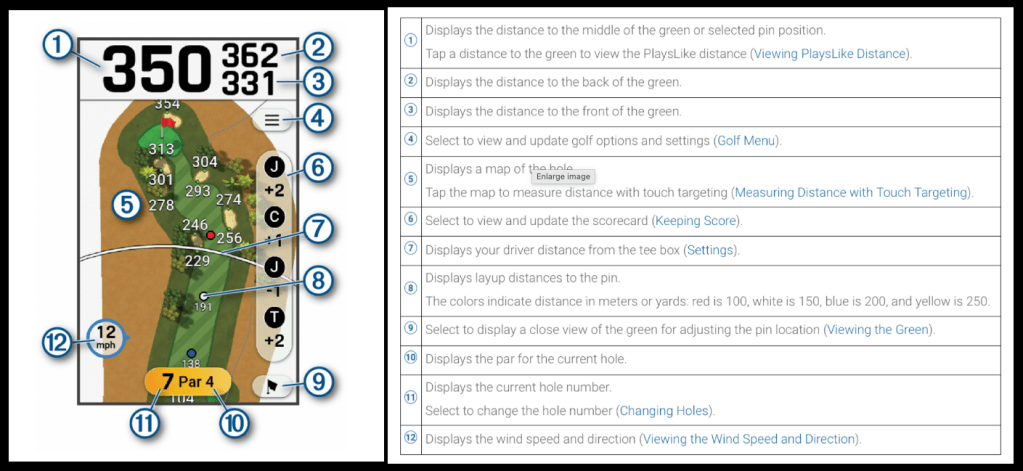
I’ve pulled this item from the menu because it does a good job of explaining the baseline screen.
It’s not perfect, but some of the situations are quite difficult for the device to manage. As an example, I joined with a friend late in the round and thus started at the 8th, then went on to play 1-7 afterwards. It won’t automatically shift to the first hole. It’s not a normal situation, but it highlights that you will never get a perfect device.
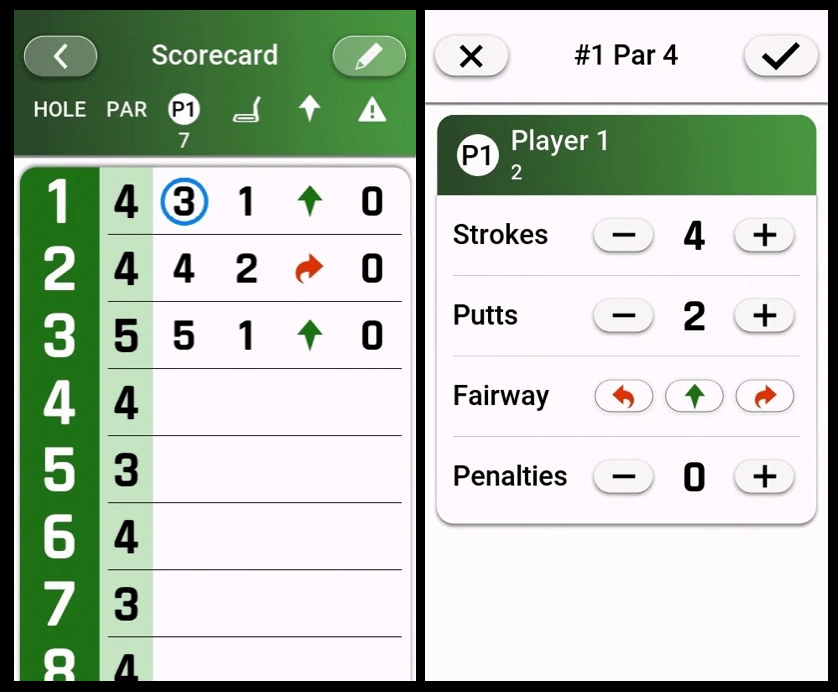
The scoring is easy to work with and there is the ability to mark off whether you hit the fairway or not. Its not detailed analysis like a detailed stat tracking app.
The integration with the CT10s worked seamlessly on the course, although it doesn’t pick up the exact location because the device may be a cart.
Ecosystem Integration
Personally, the key question for the device is how it works with the other devices. This is normally the failing point for most devices. They work well on their own, but combine a few, and things often fall apart.
In the case of the Garmin G82, I wanted to establish whether the Garmin G82 would play nicely with my iPhone, Fenix 8 watch, Garmin Z30 rangefinder and CT10s, along with how they would synchronise into the Garmin Golf app. I also wanted to establish what would happen if I didn’t have one device with me or if the battery went on one, which is a distinct possibility.
I had previously added the CT10s to my watch, so I had some questions on whether these would automatically appear on my device. The short answer is that it doesn’t work together seamlessly with the watch. I’d go as far as to say it’s targeted at users who aren’t Garmin watch users. I’d expect it to work like Apple’s ecosystem because I see that as a benchmark. If I add a rangefinder to my golf app on my iPhone, it should work on my watch and on the G82, like adding a set of headphones to my iPhone adds it to my iPad and Mac. All the devices are Garmin devices, so they have control over the ecosystem with the potential to use the phone as a hub.
With Garmin, it doesn’t integrate completely. None of the preconnected devices are connected to the G82, and some (like the CT10 sensors) require you to physically disconnect some of them from the Watch and connect them to the G82. That means it’s the watch or the G82, not both together. If you connect the watch, you’re just using it as a watch, not for golf which is a waste of a good device. If I add the CT10 to my watch, I gain more accurate GPS locations, but I lose scoring on the G82, which is a much better device to view your score and track how the round is going.
Here is my view of how it should work:
- The golfer starts the Golf app on their watch and starts a round (without having to turn on the G82) or starts the round on their G82 without starting it on their watch.
- When a golfer tees off, the watch or G82, connected to the CT10’s should be able to pick up the shot and location depending on which is on.
- The CT10s should connect to both the watch and the G82 if both are on. The watch should always override the G82, because it’s likely to be where the shot is taken, and therefore have the most accurate GPS reading. The G82 could be on your cart, 30 yards away, which isn’t accurate for something like cart paths only.
- If the user switches on the G82 or starts the app on the watch after starting a round on the other device, it should know they have started a round. It should automatically prompt the user to continue the round and go to the current hole using the settings that were started when the first device initiated the game.
- The Z30 should connect to both the watch and the G82, so if I laser a flag, it should show the green or location of the laser on both the watch and the G82.
- If the G82 or watch battery goes flat, the CT10s should continue to use the other device.
It doesn’t do any of this obviously, but as an ecosystem, I feel it should, particularly given the premium for the product and the CT10 sensors.
With brands like Mileseey creating great products at a low cost, the ecosystem approach becomes more important. Products like the Mileseey GeneSonic Pro Detachable Golf GPS Speaker should scare Garmin, because they are coming in at a lower cost with similar capability.
What can Garmin improve on?
There are a few areas for Garmin to work on, both on the device itself and as an ecosystem:
- Garmin’s approach is that while it is integrated, it is not cohesive and lacks a real strategy. It does well because the competitors aren’t better, and their watch range is very impressive as standalone units. For example, the CT1s were released and only made compatible with certain golf watch models. In many cases, premium models like the Fenix range don’t get the compatibility.
- For scoring, it allows you to insert a handicap, but it doesn’t default to your current handicap or allow you to add one. I think this is something small they can add.
- Competition mode is in the backend settings; it should prompt you when you start a round, like the watch.
- I think the screen quality could be better; it’s not stellar, but it’s workable. I think side by side with a phone, people will be disappointed, but this would also add to the cost.
- Having the updates on a separate app is clunky and unnecessary. It’s very pre-iPhone. I can’t see why they would have difficulty incorporating updates in the Garmin Golf app itself, so you don’t have to plug the device into a computer.
- The G82 lacks a front cover like those offered on the other devices in its GPS range. I think a front clip on cover like this or a pouch should have been included, given the price. I would never want to leave a magnetic clip with a device in this price range attached to the side of my bag.
- I feel that it would be good for Garmin to release a push cart mount, something like a phone mount that is visible all the time. I managed to find something on Amazon, but something like the clip as a Garmin-specific mount would be good.
- If you want to download screenshots on a Mac, you need a third-party product. Not a big deal, but again, but a small annoyance that I haven’t had with other devices.
I’ll continue to update this with more use.
Putting training
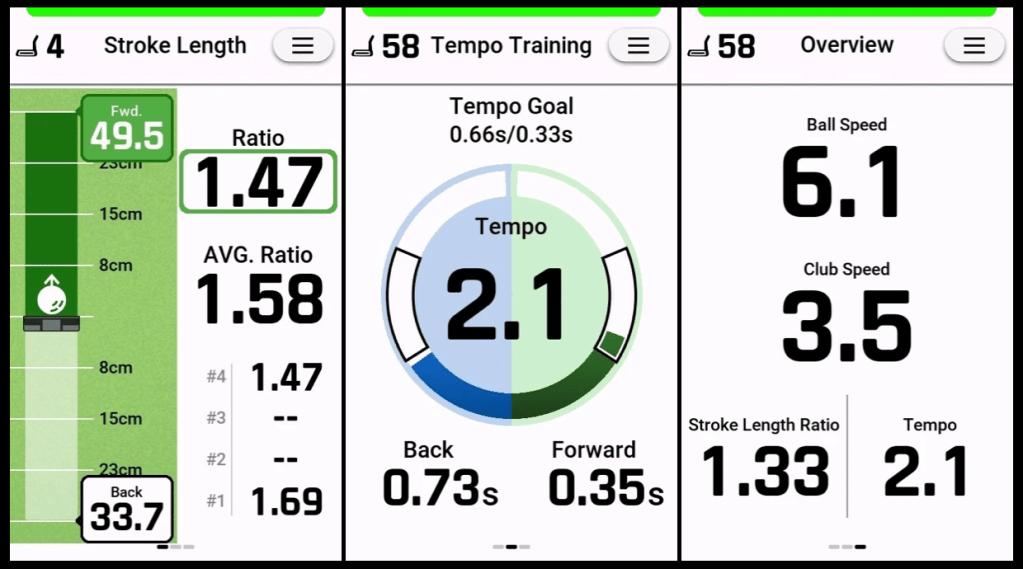
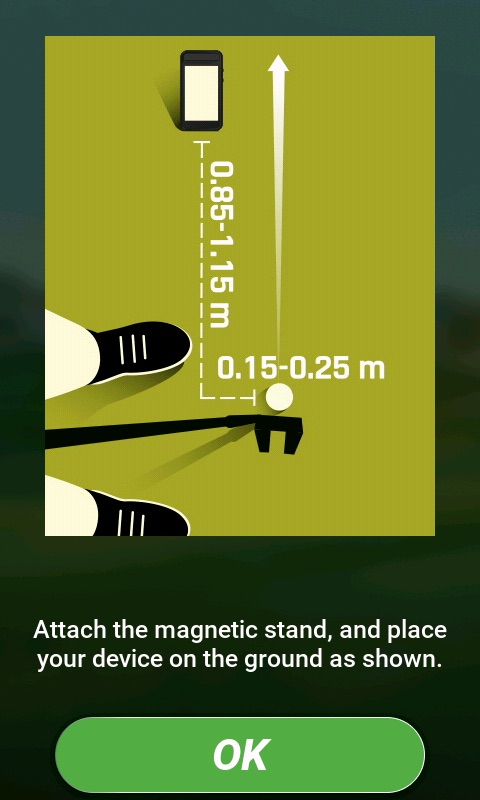
I will be updating this as I get through complete testing, but I thought I would give my first impressions. I will actually admit I didn’t realise the putting component on this was as complex as it was. I thought it was just tempo, but in reality, it’s a few components. It looks at 3 components independently. It looks at stroke length, tempo and club speed/ball speed. Follow-through should be 1-1.5x your backswing, and tempo should be 2:1. The ball speed and club speed are just metrics provided. It also has built in help on how to setup the device for putting. Its set up in a way I didn’t expect.
Will update this once I have completed testing, but it has forced me to relook at certain elements of my putting. I’m generally pretty good, averaging around 29 putts a round, but my putts inside 12 feet were where my tempo showed the most problems, and I’m leaving a few short that I should be sinking.
Bag Mapping
Will update this once I have completed testing
Driving Range
Will update this once I have completed testing
Summary/Conclusion
The G82, whilst fairly pricey, is a really good device. As a GPS, it’s powerful. The launch monitor capability is a great add-on, but obviously limited if you intend to use it to fix your swing with the lack of path and club face information. I think the putting component could be a game-changer for a lot of people who have distance control issues, because tempo is one of the foundations for effective distance control. I have to test it long-term to understand the accuracy, but first impressions are positive.
The quality of the product is high, as one would expect. It is well-made, robust, and it feels like an expensive piece of equipment. The usability is good, definitely an improvement over trying to work with a watch, but I would love to see the watch integrated properly. Screen is bright, possibly lower resolution than I would have liked, but still good enough for what it does.
As an ecosystem, Garmin is currently the leader in golf circles, but not perfect. I think Garmin needs a good product strategy, and the disjointed nature of their product lines and approaches to lines makes me wonder if they have one. The problem Garmin has on their hands is that there are cheaper products out there that do similar things, so if it can’t build a cohesive system, it may lose to those products. Some people may accuse me of being overly critical, but I think we have to be when it comes to premium products, or there is no reason to buy them.
I’ll continue updating this as I get more time with the device.


 My Golf Review
Leave a comment